Cloud Computing Explained: Why Businesses Are Moving from Traditional IT Infrastructure to the Cloud
For Nigerian businesses, cloud computing offers an opportunity to modernise operations, support remote work, improve business continuity and access enterprise-grade technology without necessarily maintaining expensive physical infrastructure.
Introduction: A New Way to Manage Business Technology
Imagine running your business without worrying about maintaining physical servers, replacing ageing storage devices or having your entire operation depend on a computer located in your office. Your employees can access approved business applications, files and services from different locations, while your organisation can increase or reduce computing resources as its needs change.
This is one of the opportunities offered by cloud computing. Across industries, organisations are rethinking how they store information, run applications, manage infrastructure and deliver digital services. Rather than owning and maintaining every component of their IT environment, businesses can obtain computing resources from cloud service providers.
The shift is not simply about storing files online. Cloud computing can support business applications, databases, websites, analytics platforms, software development environments, backup systems and much more.
For businesses in Nigeria, where technology budgets, power supply, infrastructure maintenance and access to specialist IT personnel can be challenging, the cloud presents a practical option worth considering. However, moving to the cloud requires proper planning. It is not automatically cheaper, safer or better for every workload.
1. What Is Cloud Computing?
Cloud computing is the delivery of computing services over the internet. These services may include servers, storage, databases, networking, software, analytics and development platforms.
Instead of purchasing and maintaining all the hardware and software themselves, organisations can access resources hosted and managed by a cloud provider. Depending on the service, a business may pay for what it uses, subscribe to a service or commit to a defined capacity.
For example, a company that needs to host its website, customer database and business application can deploy these systems on cloud infrastructure rather than purchasing a physical server and maintaining it in its office.
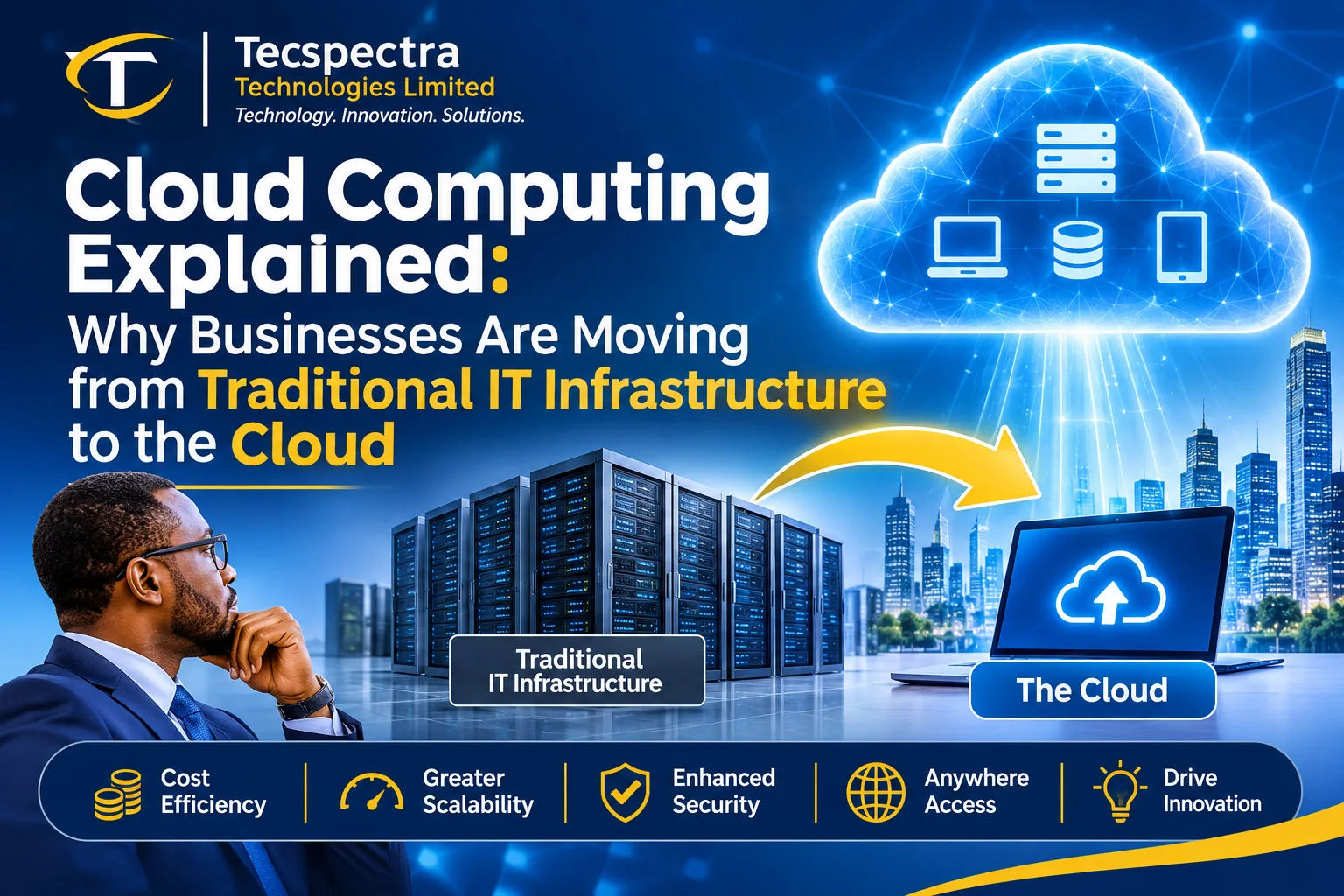
2. Traditional IT Infrastructure vs Cloud Computing
Traditional IT infrastructure typically involves an organisation purchasing, installing and maintaining physical servers, storage devices, networking equipment and software. These resources are often located in an office server room or a dedicated data centre.
With cloud computing, some or all of these resources are provided through a cloud platform. The organisation still manages its applications, data and security responsibilities, but the provider operates the underlying infrastructure for many cloud services.
| Area | Traditional IT Infrastructure | Cloud Computing |
|---|---|---|
| Hardware | Business purchases and maintains physical equipment. | Resources are provisioned from a cloud provider. |
| Initial investment | May require significant upfront capital expenditure. | Can reduce upfront hardware investment, depending on the model. |
| Scalability | Expansion may require purchasing and installing more equipment. | Resources can often be increased or reduced on demand. |
| Maintenance | Internal IT teams handle hardware maintenance and upgrades. | Providers manage the underlying infrastructure; customers retain other responsibilities. |
| Accessibility | Often depends on office networks and remote-access arrangements. | Can support access from different locations through authorised connections. |
| Business continuity | Requires the organisation to plan and fund backup and recovery facilities. | Offers backup and disaster-recovery options, which must be configured appropriately. |
| Cost model | Often involves capital expenditure and ongoing maintenance. | May use subscription, usage-based or committed-capacity pricing. |
The distinction is not always absolute. Many organisations operate a hybrid environment, combining their own infrastructure with cloud services. The right approach depends on business requirements, application design, compliance, budget and operational risk.
3. How Does Cloud Computing Work?
Cloud providers operate large data centres containing servers, storage systems, networking equipment and other specialised infrastructure. Through virtualisation and other technologies, these resources can be allocated to multiple customers while keeping their environments logically separated.
A business accesses the services it needs through the internet or a private network connection. Administrators can configure resources using a web console, command-line tools, APIs or infrastructure-as-code tools.
A typical cloud environment may include:
- Compute: Virtual machines, containers and serverless services that run applications.
- Storage: Services for files, documents, backups, images and application data.
- Databases: Managed relational and non-relational database services.
- Networking: Virtual networks, firewalls, load balancers and secure connectivity.
- Security and identity: Access controls, encryption, monitoring and identity management tools.
- Analytics and AI: Services for processing data, building reports and deploying intelligent applications.
4. The Three Main Cloud Service Models
Cloud services are commonly grouped into three service models. Each offers a different level of control and responsibility.
A. Infrastructure as a Service (IaaS)
Infrastructure as a Service provides fundamental computing resources such as virtual servers, storage and networking. The customer has considerable control over the operating system, applications and configurations, while the provider manages the underlying physical infrastructure.
Example: A company rents virtual machines to host its website, database and internal business application instead of purchasing physical servers.
B. Platform as a Service (PaaS)
Platform as a Service provides an environment for developing, deploying and managing applications without requiring the customer to manage the underlying servers and much of the operating system infrastructure.
Example: A software development team deploys a web application using a managed application platform while the provider handles much of the infrastructure management.
C. Software as a Service (SaaS)
Software as a Service delivers ready-to-use applications over the internet. Users generally access the software through a web browser or mobile application, while the provider manages the application and its underlying infrastructure.
Examples: Microsoft 365, Google Workspace, Salesforce and many cloud-based accounting, customer relationship management and collaboration platforms.
| Service Model | What the Customer Gets | Typical Use |
|---|---|---|
| IaaS | Virtual infrastructure and significant configuration control. | Hosting servers, databases and custom applications. |
| PaaS | A managed platform for building and deploying applications. | Application development and deployment. |
| SaaS | Ready-to-use software delivered online. | Email, collaboration, accounting and CRM. |
5. Cloud Deployment Models
Beyond the service model, businesses must decide how their cloud environment will be deployed. The common deployment models include:
Public Cloud
Public cloud services are delivered by providers over shared infrastructure. Customers use logically separated resources rather than owning the underlying data-centre hardware. This model can provide flexibility, broad service options and access to resources without building a private data centre.
Private Cloud
A private cloud environment is dedicated to one organisation. It may be hosted within the organisation's own facility or by an external provider. It can offer greater control over the environment, but may also require more specialised management and investment.
Hybrid Cloud
Hybrid cloud combines private infrastructure with public cloud services. A business might keep a sensitive or specialised application on its own infrastructure while using public cloud services for backups, collaboration or additional computing capacity.
Multi-Cloud
A multi-cloud strategy uses services from more than one cloud provider. Organisations may choose this approach to access different provider capabilities, meet specific requirements or reduce dependence on a single vendor. It can, however, increase operational complexity.
6. Why Are Businesses Moving to the Cloud?
Cloud adoption is driven by business needs, not simply by the availability of new technology. Here are some of the major advantages organisations may gain when cloud services are selected and managed properly.
1. Reduced Upfront Infrastructure Costs
Purchasing servers, storage devices, networking equipment, backup systems and supporting facilities can require substantial capital investment. Cloud services can reduce the need for some of these purchases and allow businesses to adopt a subscription or usage-based model.
However, cloud computing is not automatically cheaper. Poor resource management, unnecessary storage, data-transfer charges and oversized services can increase costs. Businesses should compare the full cost of ownership before migrating.
2. Scalability and Flexibility
A business experiencing increased demand can provision additional resources without waiting to purchase and install new physical hardware. When demand falls, resources can often be reduced.
This is particularly useful for organisations with seasonal demand, growing customer bases or applications that experience unpredictable traffic.
3. Improved Collaboration and Remote Access
Cloud-based applications allow authorised employees to access shared documents, business systems and collaboration tools from different locations. This can support distributed teams, field operations and organisations with multiple branches.
Access must still be protected through appropriate identity controls, secure devices and reliable network connections.
4. Backup and Disaster Recovery Options
Cloud platforms offer services that can support data backup, replication and disaster recovery. Businesses can use these capabilities to improve their ability to restore important systems after hardware failure, accidental deletion or other disruptions.
Simply storing data in the cloud does not guarantee recovery. Organisations need tested backups, defined recovery objectives, appropriate retention policies and documented restoration procedures.
5. Access to Modern Technology
Cloud platforms make a broad range of services available, including managed databases, data analytics, artificial intelligence, application hosting, security monitoring and automation tools.
Businesses can adopt these capabilities without necessarily building every supporting component from scratch.
6. Faster Deployment and Innovation
Development teams can provision test environments, deploy applications and experiment with new services more quickly. This can shorten development cycles and help organisations respond to changing customer needs.
7. Easier Infrastructure Management
Managed cloud services can reduce the amount of routine physical infrastructure maintenance an organisation handles internally. IT teams can spend more time on business applications, security, data management and service improvement.
7. Practical Cloud Computing Applications in Nigeria
Cloud computing is relevant to organisations of different sizes and across many sectors. Consider some practical examples:
- Schools and educational institutions: Use cloud-based learning platforms, student information systems, online registration, digital libraries and secure document storage.
- Small and medium-sized businesses: Adopt cloud accounting, inventory management, customer relationship management and collaboration applications without maintaining all the supporting infrastructure.
- Healthcare providers: Support appropriately secured patient administration, appointment management and information systems, subject to applicable privacy and regulatory requirements.
- Financial and professional services: Host business applications, manage documents and support analytics, while meeting applicable security, privacy and sector-specific obligations.
- Logistics and transportation companies: Run fleet management, tracking, dispatch and reporting applications that can be accessed by authorised teams.
- Retail and e-commerce businesses: Host online stores, manage product catalogues, process orders and monitor sales performance.
- Technology companies and startups: Build, test and deploy applications using cloud servers, managed databases, APIs and development platforms.
8. Popular Cloud Computing Platforms
Several providers offer cloud infrastructure, platforms and software services. The best option depends on the organisation's technical needs, budget, existing systems, data location requirements and available skills.
Amazon Web Services (AWS)
AWS provides a wide range of cloud services, including computing, storage, databases, networking, analytics, security and artificial intelligence capabilities. It is used by startups, large enterprises and public-sector organisations.
Microsoft Azure
Microsoft Azure offers cloud infrastructure, application hosting, databases, identity services, analytics and hybrid-cloud capabilities. It is often considered by organisations already using Microsoft technologies and enterprise software.
Google Cloud
Google Cloud provides infrastructure, data analytics, artificial intelligence, machine learning, application hosting and database services. It is a strong option for organisations working with data-intensive applications and modern development environments.
Other Cloud and Hosting Providers
Depending on the workload, businesses may also consider providers such as Oracle Cloud Infrastructure, IBM Cloud, DigitalOcean and specialised hosting platforms. Some organisations may prefer local or regional hosting arrangements where latency, support, data residency or regulatory requirements make them appropriate.
9. Challenges and Risks of Cloud Computing
Although cloud computing offers significant opportunities, migration should not be treated as a risk-free exercise. Businesses need to understand the following challenges.
Data Security and Privacy
Business information stored in cloud environments must be protected against unauthorised access, data exposure and cyberattacks. Organisations should use strong authentication, role-based access controls, encryption, secure configuration and continuous monitoring.
Internet Connectivity and Power Supply
Cloud applications depend on reliable network connectivity. In locations where internet access or electricity is inconsistent, downtime can affect productivity. Businesses should assess connectivity options, backup internet links, power arrangements and offline operating requirements.
Uncontrolled Cloud Spending
Usage-based pricing can become expensive when resources are not monitored. Unused virtual machines, excessive storage, unnecessary data transfers and poor capacity planning can create avoidable costs. Cost alerts, budgets, tagging and regular reviews are important.
Vendor Lock-In
Some applications depend heavily on a provider's proprietary services. Moving them to another platform may require significant redesign or migration work. Businesses should consider portability, data export options and exit strategies when selecting services.
Compliance and Data Residency
Organisations handling personal or sensitive information must understand the legal and regulatory requirements that apply to their operations. In Nigeria, the Nigeria Data Protection Act 2023 is an important part of the data protection framework. Businesses should assess how their cloud provider stores, processes, protects and transfers data, and obtain appropriate professional guidance where necessary.
Shared Responsibility for Security
Cloud security is a shared responsibility. Providers are responsible for the security of the cloud infrastructure they operate, while customers remain responsible for important areas such as account access, data protection, application security and service configuration. The exact division depends on the service model.
10. How Can a Business Move to the Cloud?
A successful cloud migration begins with business objectives, not with selecting a provider. Organisations should understand what they want to improve before deciding which workloads to move.
- Assess your existing IT environment. Identify current servers, applications, databases, storage systems, network dependencies and maintenance costs.
- Define your business objectives. Decide whether the priority is reducing infrastructure maintenance, improving availability, supporting remote work, modernising applications or enabling growth.
- Classify your data and applications. Identify sensitive information, compliance requirements, application dependencies and workloads that may need to remain on existing infrastructure.
- Choose the right cloud model. Evaluate public, private, hybrid or multi-cloud options, as well as IaaS, PaaS and SaaS services.
- Develop a migration plan. Establish the sequence of migration, estimated costs, responsibilities, security controls, backup arrangements and rollback procedures.
- Start with a pilot project. Move a suitable low-risk workload first. Test performance, access, security, costs and user experience before expanding the migration.
- Train employees and administrators. Ensure that the people using and managing the new systems understand their responsibilities and the relevant security procedures.
- Monitor and optimise. Review service performance, usage, spending, security alerts and business outcomes regularly.
11. Is Cloud Computing Right for Every Business?
Not necessarily. Cloud computing can be valuable, but the decision should be based on the organisation's workload, business model and operational requirements.
A business with limited IT capacity may benefit from managed cloud applications because it does not have to maintain as much infrastructure. A company with specialised legacy systems, strict latency requirements or particular regulatory constraints may need a hybrid or on-premises arrangement.
The most effective strategy is not always to move everything to the cloud. It is to choose the right environment for each workload and manage the overall technology architecture as a coherent system.
Conclusion: The Cloud Is a Business Strategy, Not Just a Technology Trend
Cloud computing is changing how organisations acquire, manage and use technology. It provides access to flexible infrastructure, modern applications and advanced digital services that can help businesses improve operations and respond to changing demands.
For Nigerian businesses, cloud adoption can support digital transformation, reduce dependence on some forms of physical infrastructure and create opportunities for innovation. But the benefits depend on careful planning, appropriate security, reliable connectivity and continuous cost management.
Businesses do not need to migrate everything at once. They can begin with a clearly defined need, evaluate suitable services, test a pilot and expand gradually as the benefits become clear.
The important question is no longer simply whether cloud computing is available. It is whether your organisation is using the right technology architecture to support its future.
Need Help Moving Your Business to the Cloud?
Choosing the right cloud platform, planning a migration and securing business applications require the right technical expertise. Tecspectra Technologies Limited helps organisations modernise their IT environments through software development, cloud solutions, IT consulting, database management, infrastructure support and business process automation.
Whether you are planning to host a website, deploy a business application, migrate databases, establish cloud backups or modernise your organisation's IT infrastructure, our team can help you identify a practical approach.
Let's build a more connected, scalable and efficient business.
Visit Tecspectra Technologies Limited to explore our services and discuss your technology needs.